
# Zyquo Local
### Every token stays on your Mac. πβ‘
**A legendary native macOS AI chat client that runs large language models 100 % locally on Apple Silicon with [MLX](https://github.com/ml-explore/mlx-swift) β no API keys, no cloud, no data ever leaving your machine.**
[](https://github.com/spboucher-ai/zyquo-local/releases/latest)

[](https://github.com/spboucher-ai/zyquo-local/releases/latest)

[](https://support.apple.com/en-us/116943)

[](https://swift.org)

[](https://github.com/ml-explore/mlx-swift)

[](LICENSE)

[](https://github.com/spboucher-ai/zyquo-local/releases)

[](https://github.com/spboucher-ai/zyquo-local/releases/latest)

**[β¬οΈ Download the latest DMG](https://github.com/spboucher-ai/zyquo-local/releases/latest/download/ZyquoLocal.dmg)** Β· Developer ID signed Β· Notarized by Apple Β· Stapled
---
## π Table of Contents
- [Why Zyquo Local?](#-why-zyquo-local)
- [Features](#-features)
- [Private, local inference](#-private-local-inference)
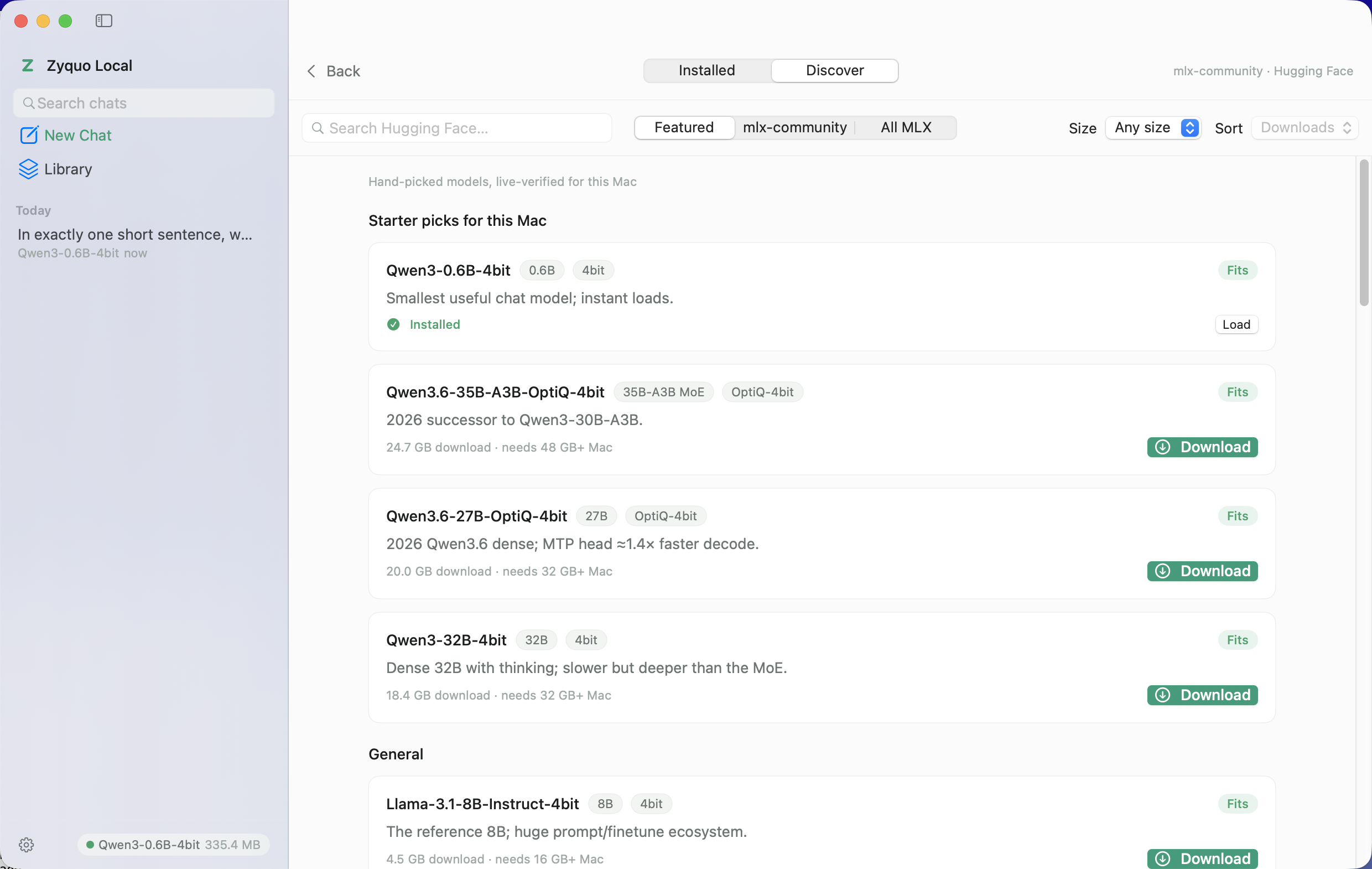
- [Browse & download models inside the app](#-browse--download-models-inside-the-app)
- [A chat experience that respects your hardware](#-a-chat-experience-that-respects-your-hardware)
- [Power tools](#-power-tools)
- [macOS-native polish](#-macos-native-polish)
- [Screenshots](#-screenshots)
- [Verified performance](#-verified-performance)
- [Installation](#-installation)
- [Requirements](#-requirements)
- [Usage](#-usage)
- [Building from source](#%EF%B8%8F-building-from-source)
- [Architecture](#%EF%B8%8F-architecture)
- [Roadmap](#-roadmap)
- [Contributing](#-contributing)
- [License](#-license)
- [Author](#-author)
---
## π Why Zyquo Local?
Cloud chatbots read your prompts. **Zyquo Local doesn't have a server to send them to.**
Inference runs entirely on your Mac's unified memory and GPU through Apple's MLX framework. The only network calls the app ever makes are the ones **you** trigger to download model weights from Hugging Face β and even those are resumable, verified, and stored in a folder you control. Everything else β every conversation, every token, every system prompt β lives in `~/Library/Application Support/ZyquoLocal/` and nowhere else.
---
## β¨ Features
### π Private, local inference
- **100 % on-device generation** via [mlx-swift-lm](https://github.com/ml-explore/mlx-swift-lm) β no API keys, no accounts, no telemetry, works fully offline once a model is downloaded.
- **57 supported architectures** out of the box: Llama, Qwen 2/3/3.5/3.6, Mistral/Mixtral, Gemma 1β4, Phi-3/4, DeepSeek-V3 distills, gpt-oss, GLM-4, SmolLM3, LFM2, OpenELM, StarCoder2, Granite, and more β with a compatibility check *before* you download anything.
- **True token streaming** with a live tokens/second ticker, cancellable mid-generation β the stop button actually stops the GPU loop.
- **Reasoning display**: `
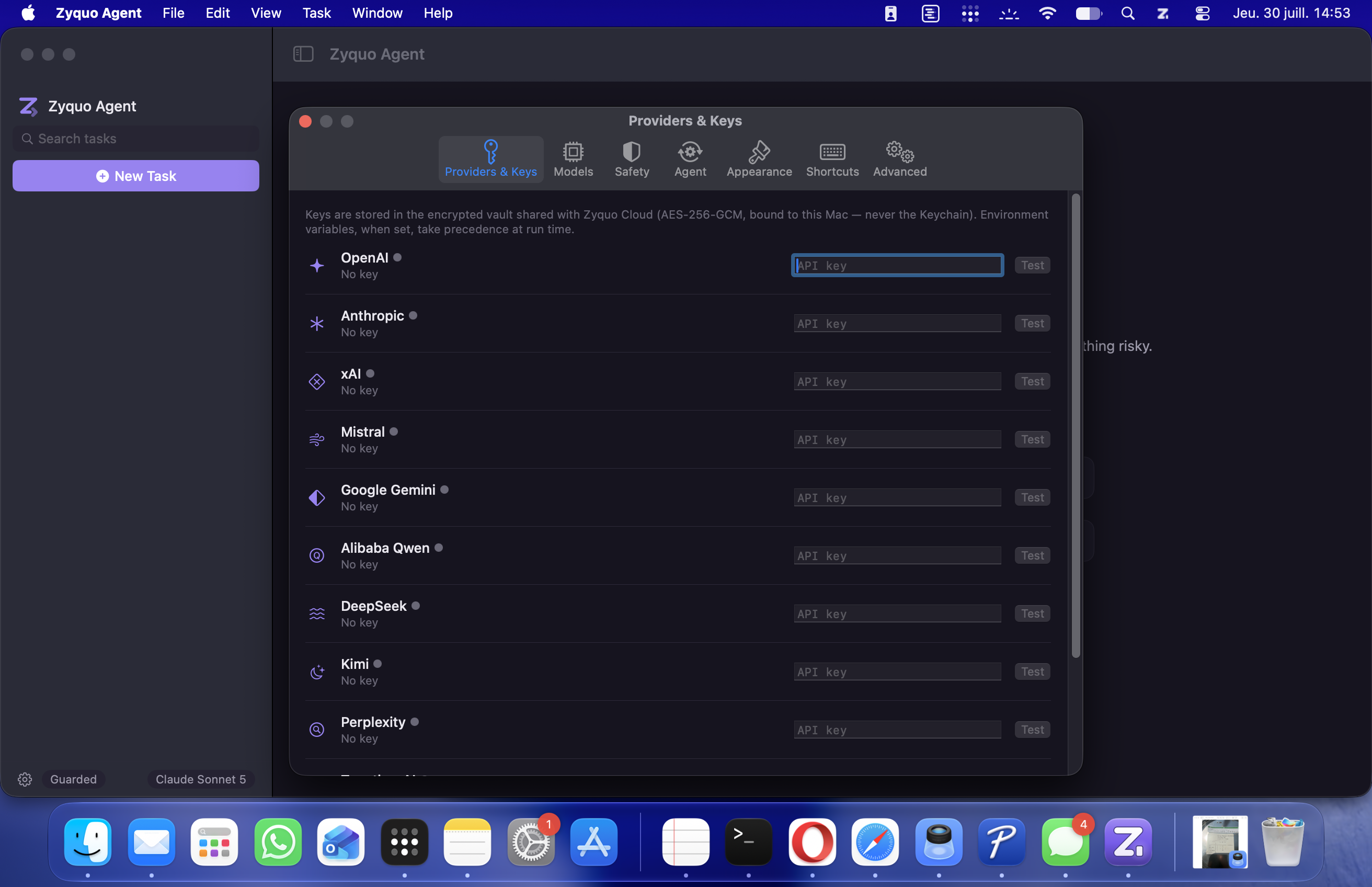
**Chat β streaming, thinking disclosure, per-response stats (dark theme)**
**Discover β the curated catalog with RAM verdicts for *your* Mac**
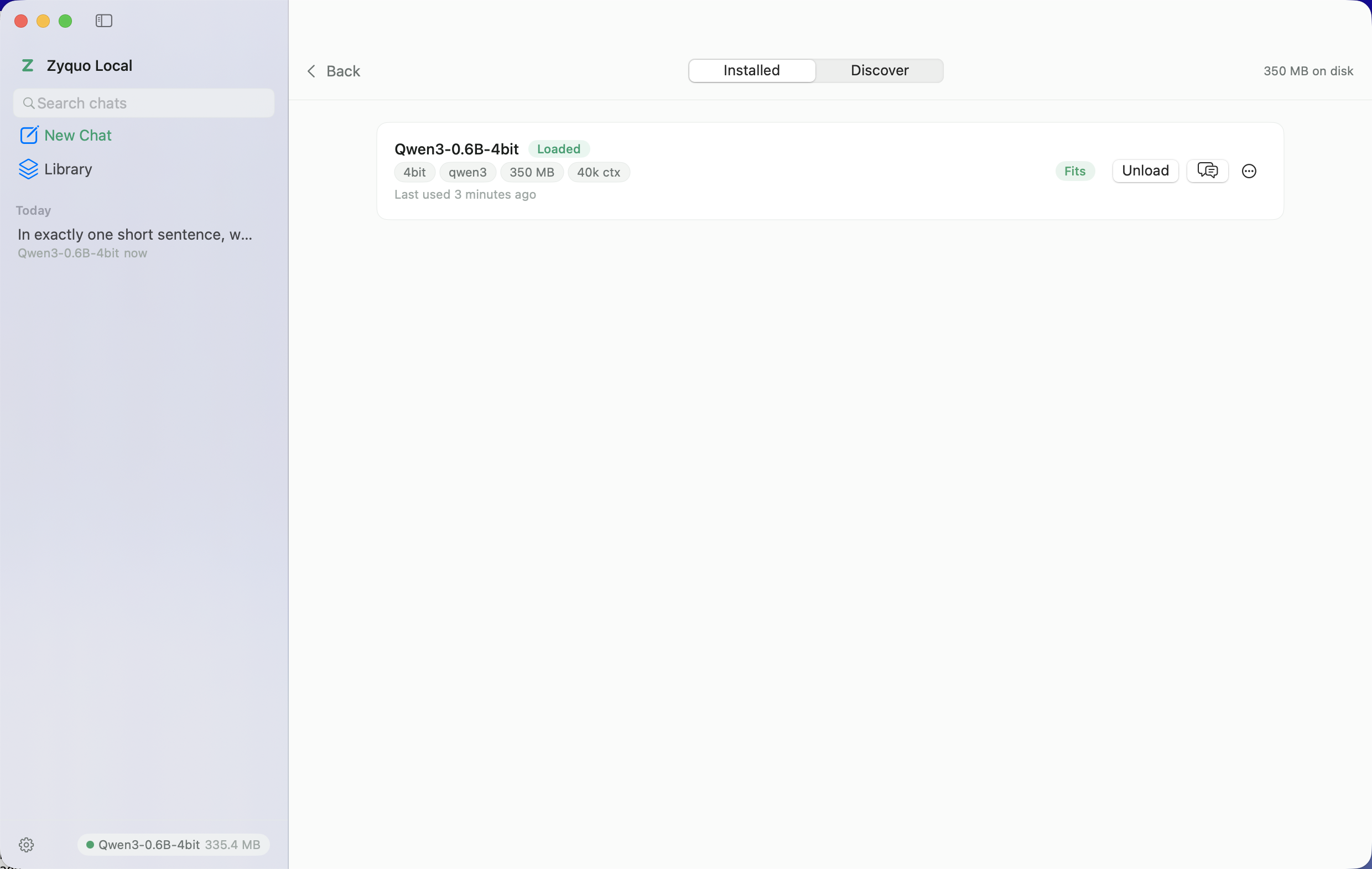
**Library β installed models with architecture, quantization and context badges**
---
## π Verified performance
Every release is validated by an end-to-end harness (`ZyquoLocal --verify`) that downloads real models through the app's own pipeline, then checks loading, deterministic generation, multi-turn recall, streaming cancellation, and memory release. Measured on an Apple M5 Max (48 GB):
| Model | Load | Generate | Multi-turn | Cancel | Unload | tok/s | TTFT |
|---|:-:|:-:|:-:|:-:|:-:|--:|--:|
| Qwen3-0.6B-4bit | β
| β
| β
| β
| β
| 109.4 | 0.08 s |
| Llama-3.2-1B-Instruct-4bit | β
| β
| β
| β
| β
| 222.8 | 0.74 s |
| SmolLM3-3B-4bit | β
| β
| β
| β
| β
| 97.4 | 0.11 s |
| gemma-3-4b-it-qat-4bit | β
| β
| β
| β
| β
| 58.3 | 1.08 s |
| Qwen2.5-Coder-7B-Instruct-4bit | β
| β
| β
| β
| β
| 112.5 | 0.42 s |
| DeepSeek-R1-0528-Qwen3-8B-4bit | β
| β
| β
| β
| β
| 61.3 | 0.08 s |
Full methodology and the 30/30 catalog verification: [`docs/VERIFICATION.md`](docs/VERIFICATION.md).
---
## π¦ Installation
1. **[Download `ZyquoLocal.dmg`](https://github.com/spboucher-ai/zyquo-local/releases/latest/download/ZyquoLocal.dmg)** from the latest release.
2. Open the DMG and drag **Zyquo Local** into **Applications**.
3. Launch it. The app is Developer ID signed and notarized by Apple β no Gatekeeper hoops.
4. Pick a starter model sized for your Mac and click **Download**. That's it β chat away, even offline.
> π‘ Models are stored in `~/Library/Application Support/ZyquoLocal/Models/` and can be deleted from the in-app Library at any time (the app shows exactly how much space you'll reclaim).
---
## π§° Requirements
| | Minimum |
|---|---|
| **Mac** | Apple Silicon (M1 or later) β MLX requires it; Intel Macs are not supported |
| **macOS** | 14.0 (Sonoma) or later |
| **Memory** | 8 GB runs β€4 B models comfortably Β· 16 GB β 7β14 B Β· 32 GB β 24β32 B Β· 64 GB β 70 B |
| **Disk** | 0.35 GB (smallest model) β 40 GB (Llama-3.3-70B); the app pre-checks free space |
| **Network** | Only for downloading models; inference is fully offline |
---
## π Usage
| I want to⦠| Do this |
|---|---|
| Get my first model | Launch β pick a starter card β **Download** β it auto-appears in the model chip |
| Chat | Type and hit `ββ©`; press the stop button to halt generation instantly |
| See how a model thinks | Reasoning models stream into the collapsible **Thought process** section |
| Switch models | Click the model chip in the header (or `βK`) β verdicts tell you what fits |
| Tune generation | The sliders icon in the input bar (per-conversation) or Settings β Inference (defaults) |
| Ask from anywhere | `β₯Space` β Quick Chat floats above whatever you're doing |
| Race two models | Menu **Model β Compare Modelsβ¦**, pick two, broadcast one prompt |
| Reuse a great prompt | The templates icon in the input bar β 56 built-ins with fillable variables |
| Share a conversation | Header export menu β Markdown or PDF |
| Use gated models (Llama, Gemma) | Settings β Models & Storage β add your Hugging Face token |
---
## ποΈ Building from source
Zyquo Local is plain **Swift Package Manager** β no `.xcodeproj`, and the Xcode IDE is never required. Two prerequisites beyond the Command Line Tools:
1. **Apple's Metal Toolchain** on `PATH` β MLX compiles its GPU kernels at build time. On a machine with Xcode 26+: `xcodebuild -downloadComponent MetalToolchain`; a standalone `Metal.xctoolchain` on `PATH` also works.
2. **SDK pin** on macOS 27 CLT setups: `SDKROOT=MacOSX26.5.sdk` (SwiftUI macros are Xcode-only plugins in the 27.x CLT SDKs).
```sh
git clone https://github.com/spboucher-ai/zyquo-local.git
cd zyquo-local
make build # debug build
make dev # debug bundle (ad-hoc signed) + launch
make poc MODEL=