☁️ Zyquo Cloud
Your keys, every cloud model, one beautiful chat.
A truly native macOS AI chat client for 12 cloud providers — built entirely without Xcode.








📖 Table of Contents
- ✨ Features
- 🔌 Supported Providers
- 🖼 Screenshots
- 📦 Installation
- 🧰 Requirements
- 🚀 Usage
- 🔐 Security & Privacy
- 🧪 Live API Verification
- 🛠 Building from Source
- 🏛 Architecture
- 🗺 Roadmap
- 🤝 Contributing
- 📄 License
- 👤 Author
✨ Features
Every feature below exists in the shipped code — nothing aspirational.
💬 Core chat
- True token-by-token streaming over Server-Sent Events, with a stop button (
⌘.), a blinking stream caret, smooth auto-scroll and a "Jump to latest" pill when you scroll up. - Switch model per conversation and per message — start a thread on GPT, get a second opinion from Claude, regenerate with DeepSeek. The model chip in the header opens a searchable picker grouped by provider, with favorites (⭐) pinned first and capability badges (👁 vision, 🧠 reasoning, 🔧 tools) plus context-window and pricing info on every row.
- Reasoning / extended-thinking display: models that think (DeepSeek V4, Qwen thinking models, Claude extended thinking, Kimi K-series, Mistral Magistral-style chunks…) stream their thought process into a collapsible "Thinking…" section, kept separate from the answer.
- Perplexity citations rendered as numbered, clickable source chips under the answer.
- Message actions on hover or right-click: copy, edit & resend (rewinds the thread), regenerate, quote-reply, delete.
- Token usage & estimated cost per message (hover) and per conversation (info popover + sidebar footer), computed from each model's real pricing.
- Per-conversation system prompt + a global default; generation parameters (temperature, top-p, max tokens, penalties, reasoning effort, thinking toggle) — the editor only shows the parameters the selected model actually supports.
🖼 Vision & attachments
- Drag & drop or attach images (PNG/JPEG/WebP/GIF) for vision-capable models — encoded to each
provider's format automatically (OpenAI
image_urldata-URIs, Anthropic base64 content blocks). - Drop text/code files (30+ extensions) — contents are injected inline, fenced with the filename.
- 56pt thumbnails above the input with one-click removal; dashed accent highlight while dragging.
⚡ Productivity
- Prompt Library — 58 hand-crafted built-in templates across 8 categories (Writing, Coding,
Analysis, Translation, Business, Learning, Creativity, Productivity), each with a
{{input}}slot, plus your own custom templates. - Personas — 8 thoughtful built-ins (Senior Code Reviewer, Socratic Tutor, Ruthless Editor…) bundling a system prompt + preferences; apply one from the palette in two keystrokes.
- ⌘K Command Palette — one search box over models, templates, and personas.
- Quick Chat (⌥Space) — a global, Spotlight-style floating panel available from any app: ask, read the streamed answer, then "Continue in Zyquo Cloud" to promote it to a full thread.
- Compare mode — broadcast one prompt to 2–4 models side-by-side, each column streaming independently with its own copy/regenerate.
- Export any conversation to Markdown or PDF (thinking sections and citations included).
- Full-text search across all conversations (titles and message bodies), plus pin, rename, tags, and automatic Pinned / Today / Yesterday / Previous 7 Days / Older grouping.
- Automatic titles — after the first exchange, the cheapest non-reasoning model of the same provider names the conversation.
🧠 Model management
- 170 built-in chat models, every one verified live against the real APIs (see verification).
- Dynamic refresh — pull
/modelsfrom any provider and diff it against the catalog. - Custom models & endpoints — add any OpenAI-compatible endpoint (OpenRouter, Groq, self-hosted gateways…) with a custom model ID and base URL.
🍎 macOS-native polish
- 100 % SwiftUI + AppKit, no Electron, no web views — launches instantly.
- Menu bar extra (toggleable) with a template glyph that adapts to light/dark menu bars.
- Light & dark themes from one semantic token system (sky-indigo accent + 4 alternates), adjustable chat font size (12–18 pt) with live preview.
- Full keyboard:
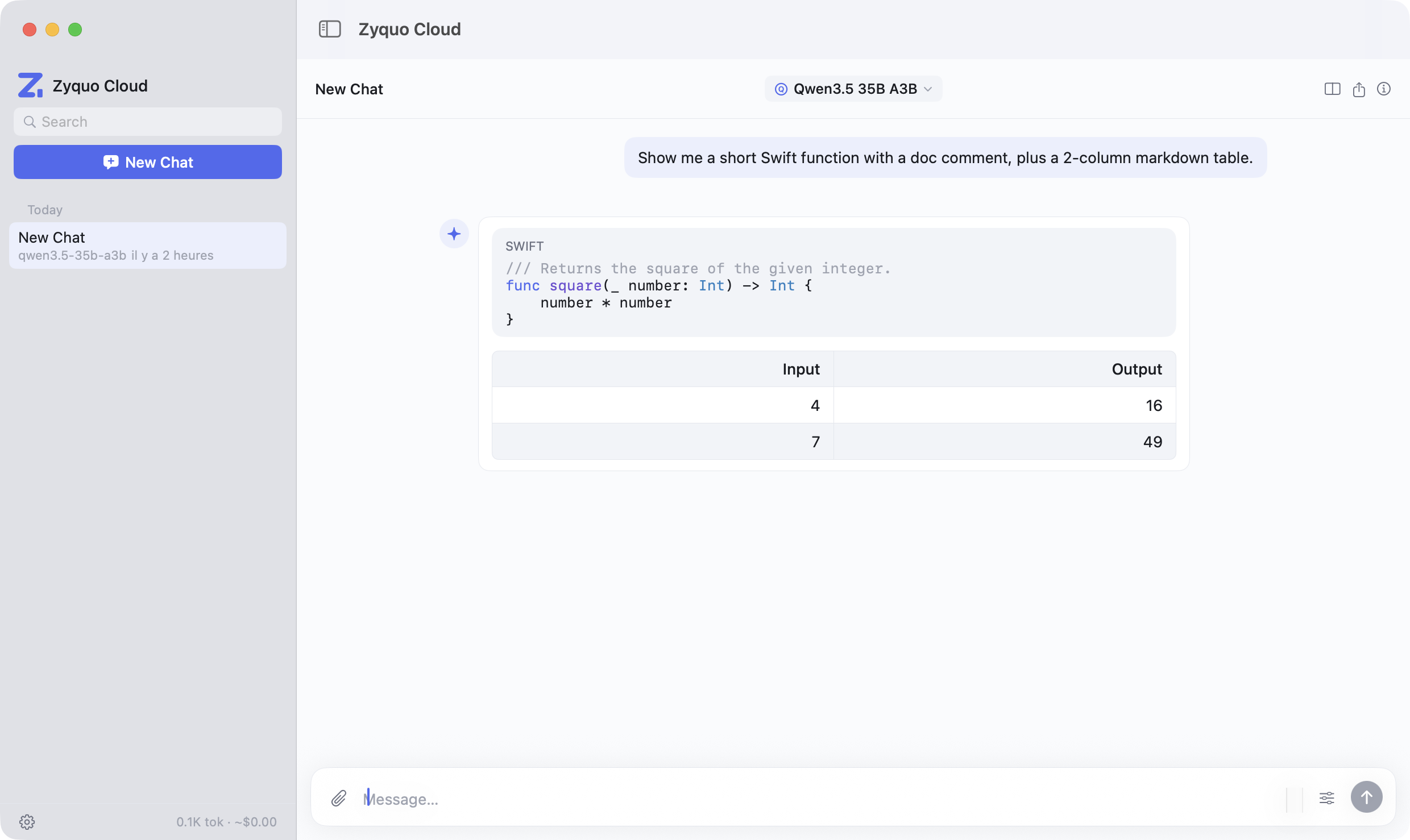
⌘Nnew chat ·⌘Kpalette ·⌘Fsearch ·⌘↩send ·⌘⇧Eexport ·⌥SpaceQuick Chat ·⌘.stop. - Markdown done right: headings, nested lists, task lists, blockquotes, GFM tables with alternating row tints, links — and code blocks with a language label, hover copy button, and a built-in syntax highlighter covering 11 language families (Swift, Python, JS/TS, JSON, HTML/CSS, Bash, SQL, Go, Rust, C/C++/Obj-C).
🔌 Supported Providers
| Provider | Wire format | Dynamic /models |
Notable support |
|---|---|---|---|
| OpenAI | OpenAI | ✅ | GPT-5.x families, o-series reasoning, vision |
| Anthropic | Native Messages API | ✅ | Claude 5 / 4.x, extended thinking, vision blocks |
| xAI | OpenAI-compatible | ✅ | Grok 4.5 / 4.3 / 4.20, reasoning effort |
| Mistral | OpenAI-compatible | ✅ | Large/Medium/Small, Codestral, reasoning chunks |
| Google Gemini | OpenAI-compat endpoint | ✅ | Gemini 3.x / 2.5, thought signatures tolerated |
| Alibaba Qwen (DashScope intl) | OpenAI-compatible | ✅ | Qwen 3.x families, enable_thinking, QwQ/QVQ |
| DeepSeek | OpenAI-compatible | ✅ | V4 Flash/Pro, reasoning_content streaming |
| Kimi (Moonshot) | OpenAI-compatible | ✅ | K3 / K2.x, moonshot-v1 vision |
| Perplexity | OpenAI-compat + search | — | Sonar family, citations & search results |
| Together AI | OpenAI-compatible | ✅ | Curated serverless catalog (Llama, DeepSeek, Qwen…) |
| DeepInfra | OpenAI-compatible | ✅ | Open models + proxied Claude/Gemini |
| Cerebras | OpenAI-compatible | ✅ | Ultra-fast inference, max_completion_tokens |
Provider quirks (auth headers, stream_options, reasoning_effort value sets, streaming-only
models, completions-style deltas, keep-alive comments…) are all isolated in the provider layer —
documented in docs/PROVIDERS.md, a 1,600-line API research dossier.
🖼 Screenshots
Chat — syntax-highlighted code, GFM tables, per-message cost
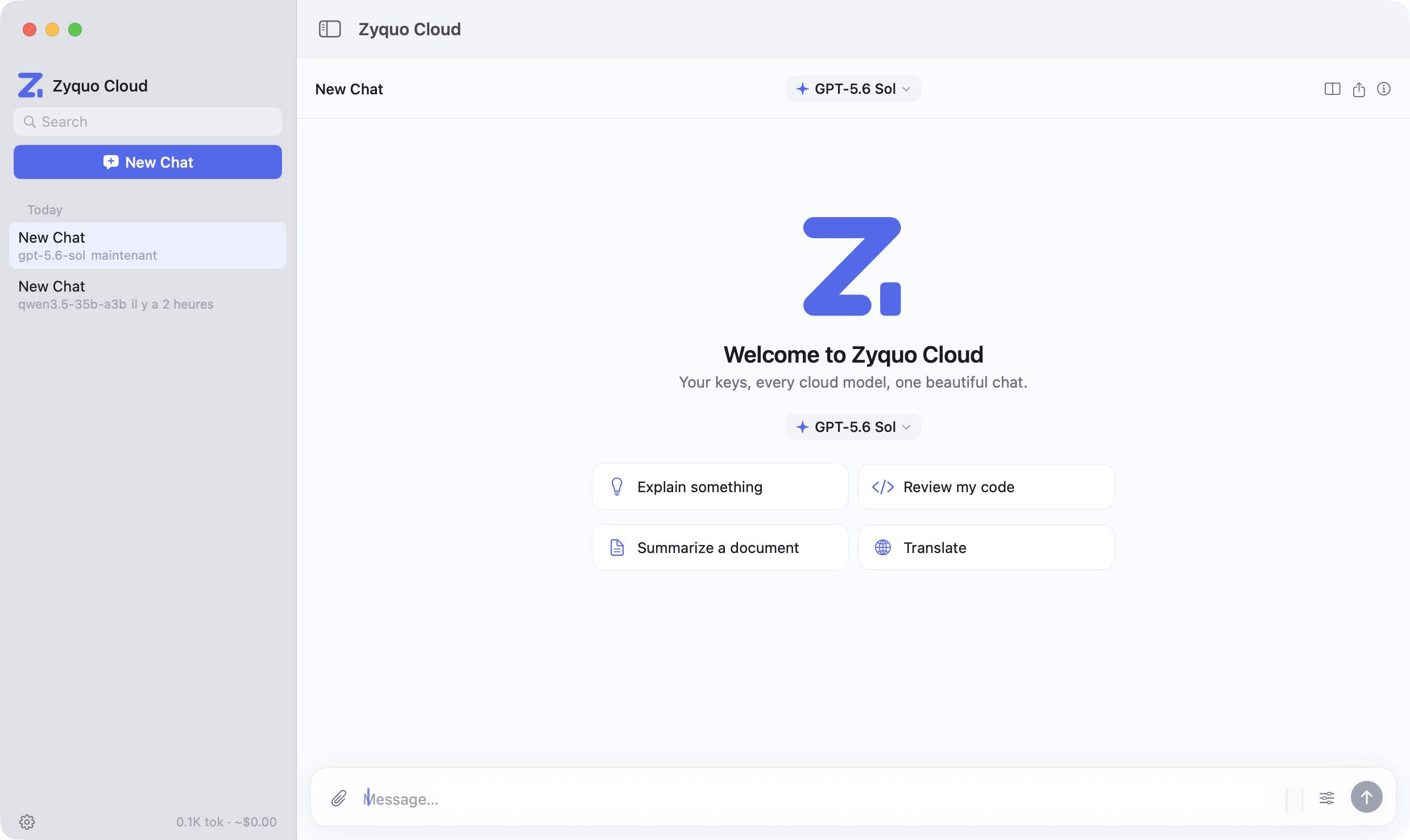
Empty state — model chip and suggested prompts
📦 Installation
Download (recommended)
- Grab
ZyquoCloud.dmgfrom the latest release. - Open the DMG and drag Zyquo Cloud into Applications.
- Launch it. No Gatekeeper warnings: the app is Developer ID-signed, notarized by Apple, and
stapled (
spctlverdict: accepted — Notarized Developer ID), universal arm64 + x86_64.
First run
Open Settings → Providers & Keys (⌘,), paste the API keys for the providers you use, and hit
Test — a green dot and the round-trip latency confirm each key. That's it.
🧰 Requirements
| macOS | 13 Ventura or later |
| Architecture | Apple Silicon & Intel (universal binary) |
| Accounts | Your own API keys for the providers you want (BYOK — no subscription, no middleman) |
| Network | Outbound HTTPS to the providers you configure — nothing else |
🚀 Usage
| Action | How |
|---|---|
| New chat | ⌘N or the sidebar button |
| Send | ⌘↩ |
| Stop generating | ⌘. or the stop button |
| Switch model | Click the model chip, or ⌘K |
| Insert a prompt template / apply a persona | ⌘K |
| Quick Chat from anywhere | ⌥Space |
| Compare 2–4 models | Split icon in the chat header |
| Search conversations | ⌘F |
| Export Markdown / PDF | ⌘⇧E |
| Attach images / files | 📎, drag & drop, or paste |
| Per-conversation parameters | Sliders icon in the input bar |
| System prompt & usage stats | ⓘ in the chat header |
🔐 Security & Privacy
- Your keys never leave your Mac. They live in a single encrypted vault file
(
~/Library/Application Support/ZyquoCloud/vault.zq) — AES-256-GCM via CryptoKit. - The master key is derived with HKDF-SHA256 from a random salt + this Mac's hardware UUID + your account + an obfuscated compiled-in pepper: the vault is machine-bound and useless if copied to another computer. Tampering is detected by the GCM tag.
- Deliberately no macOS Keychain — no keychain prompts, no iCloud sync of secrets, fully
auditable storage. Keys are decrypted only at request time, never logged, and always displayed
redacted (
••••+ last 4). - No telemetry, no analytics, no accounts. The app talks exclusively to the AI providers you configure. Conversations are plain JSON on your disk, exportable and greppable.
- Hardened-runtime binary with an empty entitlement surface (no JIT, no sandbox exceptions).
🧪 Live API Verification
Zyquo Cloud ships with zyquo-verify, a harness that drives the exact production provider
clients against the real APIs:
- lists
/modelson every provider and diffs against the built-in catalog, - sends a completion to every one of the 170 catalog models,
- tests streaming on every provider and vision on every vision-capable provider.
Final run: 202 / 202 tests green across all 12 providers — full table in
docs/VERIFICATION.md. Run it yourself:
cp .env.keys.example .env.keys   # add your keys (file is gitignored)
make verify🛠 Building from Source
No Xcode required — the whole app builds with Swift Package Manager and Command Line Tools.
git clone https://github.com/spboucher-ai/zyquo-cloud.git
cd zyquo-cloud

make            # release build → dist/Zyquo Cloud.app (ad-hoc signed)
make run        # build + launch
make test       # unit test suite (Swift Testing)
make icon       # regenerate AppIcon.icns from the SVG sources in assets/icon/
make release    # universal binary + Developer ID signing + notarization + DMG
Toolchain notes (from real-world CLT-only builds, encoded in the Makefile):
- Builds pin
SDKROOTto the macOS 26 SDK — newer SDKs declare SwiftUI property wrappers as macros whose compiler plugin only ships with Xcode. - The x86_64 slice links with
-U __swift_FORCE_LOAD_$_swiftCompatibility56because CLT ships that back-deployment library arm64-only. scripts/test.shwires CLT's Swift Testing framework and macro plugin somake testworks without Xcode.
Dependencies: exactly one — swift-markdown
(Apple) for Markdown parsing. Networking is plain URLSession; crypto is CryptoKit.
🏛 Architecture
Sources/ZyquoCloud/
├── App/             @main entry (GUI + --verify + --load-vault modes), scenes, commands
├── DesignSystem/    ZyquoTheme tokens (colors/type/spacing/radii/motion), components, brand glyph
├── Models/          Conversation, Message, AIModel, ProviderID, Persona, ChatParameters…
├── Providers/       ProviderProtocol · OpenAICompatibleClient (11 providers + custom)
│                    · AnthropicClient (native Messages API) · ProviderRegistry
├── Services/        StreamingService (SSE) · ModelCatalog (+ generated data) · SecureKeyStore
│                    · PersistenceService · ConversationExporter · prompt/persona libraries
├── ViewModels/      ConversationStore (chat engine) · KeyVaultStore
├── Views/           Chat, Sidebar, Markdown renderer + highlighter, Settings, QuickChat, Compare
└── Verify/          zyquo-verify harness (202-test live sweep)
Design principles: single source of truth everywhere (models only from ModelCatalog, colors only
from ZyquoTheme), provider quirks never leak past the client layer, structured concurrency
(async/await + AsyncThrowingStream) with @MainActor UI state, zero third-party HTTP/crypto.
🗺 Roadmap
- Function calling / tools UI
- Web search toggle for providers that support it natively
- Conversation folders with drag & drop
- Prompt-template variables beyond
{{input}} - Localization (the string layer is centralization-ready)
- Sparkle-based auto-updates
Suggestions welcome — open an issue!
🤝 Contributing
- Fork, then
git cloneyour fork. make testmust stay green;makemust build with zero warnings.- Follow the conventions in
CLAUDE.md: design tokens only (no raw hex in views), one term per concept, provider quirks stay in the provider layer, and every code file carries the standard header. - Open a PR with a clear description. For provider/catalog changes, update
docs/PROVIDERS.mdandModelCatalogData.swifttogether and include amake verifyrun for the affected provider.
📄 License
Released under the MIT License — © 2026 Simon-Pierre Boucher.
👤 Author
Simon-Pierre Boucher
📧 Contact: contact@spboucher.ai
Part of the Zyquo family of native macOS AI apps.