
Zyquo Local
Every token stays on your Mac. 🍏⚡
A legendary native macOS AI chat client that runs large language models 100 % locally on Apple Silicon with MLX — no API keys, no cloud, no data ever leaving your machine.








⬇️ Download the latest DMG · Developer ID signed · Notarized by Apple · Stapled
📑 Table of Contents
- Why Zyquo Local?
- Features
- Screenshots
- Verified performance
- Installation
- Requirements
- Usage
- Building from source
- Architecture
- Roadmap
- Contributing
- License
- Author
🔒 Why Zyquo Local?
Cloud chatbots read your prompts. Zyquo Local doesn't have a server to send them to.
Inference runs entirely on your Mac's unified memory and GPU through Apple's MLX framework. The only network calls the app ever makes are the ones you trigger to download model weights from Hugging Face — and even those are resumable, verified, and stored in a folder you control. Everything else — every conversation, every token, every system prompt — lives in ~/Library/Application Support/ZyquoLocal/ and nowhere else.
✨ Features
🔐 Private, local inference
- 100 % on-device generation via mlx-swift-lm — no API keys, no accounts, no telemetry, works fully offline once a model is downloaded.
- 57 supported architectures out of the box: Llama, Qwen 2/3/3.5/3.6, Mistral/Mixtral, Gemma 1–4, Phi-3/4, DeepSeek-V3 distills, gpt-oss, GLM-4, SmolLM3, LFM2, OpenELM, StarCoder2, Granite, and more — with a compatibility check before you download anything.
- True token streaming with a live tokens/second ticker, cancellable mid-generation — the stop button actually stops the GPU loop.
- Reasoning display:
<think>…</think>output from thinking models (DeepSeek-R1 distills, Qwen3 thinking mode, QwQ-class) streams into a collapsible Thought process section, parsed incrementally and robust to tags split across token chunks. - First-class statistics under every response:
⚡ tokens/sec · token count · time-to-first-token, plus peak-memory tracking per generation. - Multi-turn context management: KV-cache reuse across turns (no re-prefill), automatic oldest-turn truncation when the context window fills (the system prompt always survives), and a live context-usage bar.
- Verifiable memory hygiene: one model loaded at a time, explicit Load/Unload, and unloading provably returns memory to the OS (gigabytes → kilobytes, measured via MLX memory APIs).
🧲 Browse & download models inside the app
- Live Hugging Face search without leaving the app: scopes for the curated Featured catalog, the
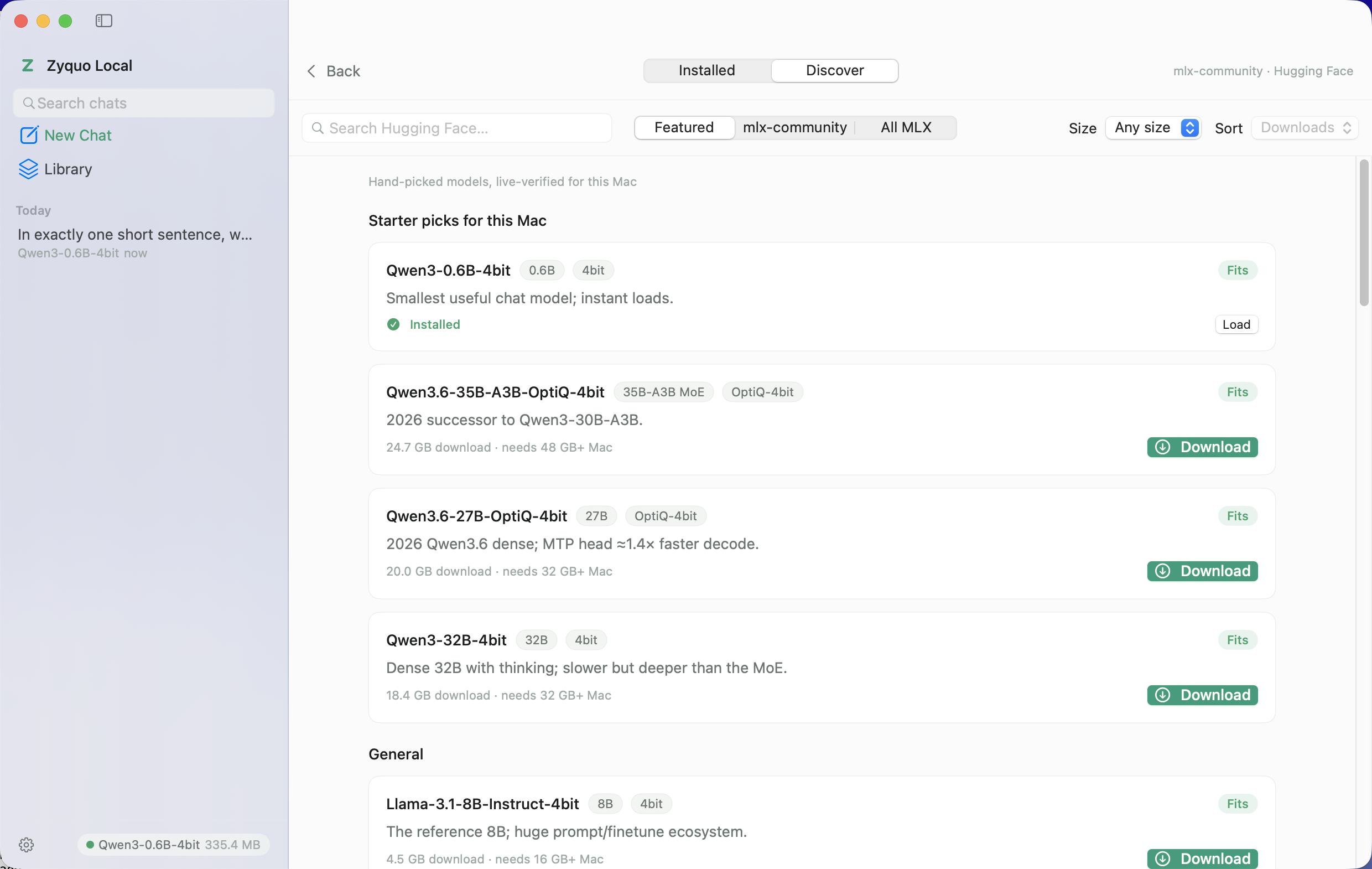
mlx-communityorganization, or all MLX-tagged repos; sort by downloads/likes/newest; filter by size class; gated-repo and unsupported-architecture warnings right on the card. - A hand-picked Featured catalog of 30 models — tiny (Qwen3-0.6B, Llama-3.2-1B, SmolLM3-3B…), mid (Qwen3-8B/14B, Gemma-3-12B, Phi-4, gpt-oss-20b…), large (Mistral-Small-24B, Gemma-3-27B, Qwen3-30B-A3B MoE, Llama-3.3-70B…), coding (Qwen2.5-Coder, Qwen3-Coder-30B-A3B) and reasoning (R1 distills, Qwen3-Thinking) — every repo ID and download size verified against the live Hub.
- Industrial-grade download manager: pause / resume / cancel per model, HTTP Range resume that survives app restarts, automatic retry with backoff on transient network drops, 2 parallel file streams, live speed + ETA, atomic
.partial → finalcompletion, per-file size verification, and a disk-space pre-check before a single byte is fetched. - RAM verdicts everywhere: a
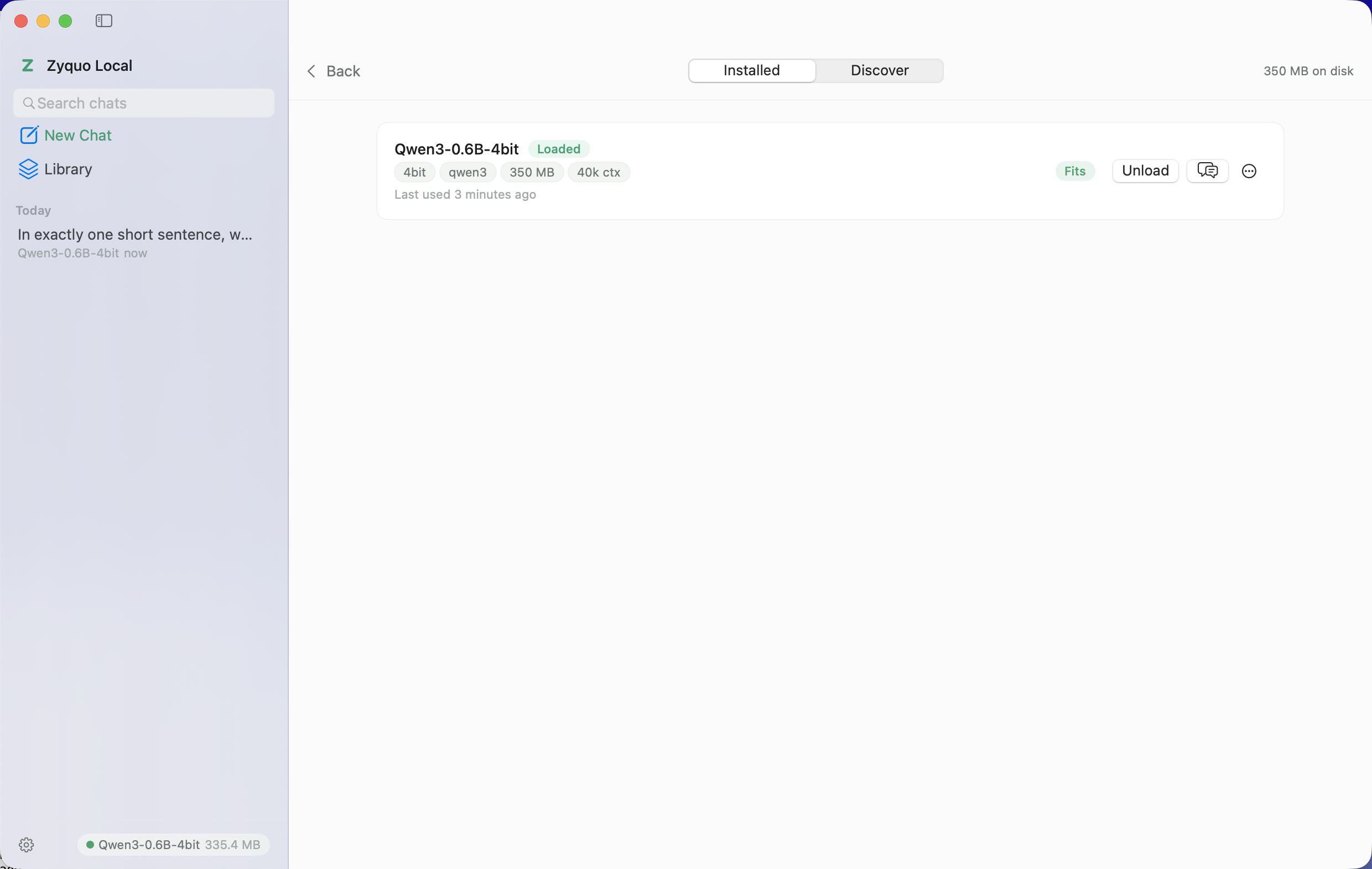
MemoryAdvisorreads your Mac's physical memory and stamps every model — installed or discoverable — with Fits / Tight / Too large, so you never download something your machine can't run. - Model library: sizes on disk, architecture and quantization badges, context-window length, last-used dates, per-model default generation parameters, Reveal in Finder, and delete-with-reclaimed-space confirmation.
- Optional Hugging Face token (Settings → Models & Storage, masked input) for gated repos like Llama and Gemma — sent exclusively to huggingface.co, stripped from cross-host CDN redirects.
💬 A chat experience that respects your hardware
- Multi-conversation sidebar with full-text search across titles and message content, pinning, renaming, date grouping (Pinned / Today / Yesterday / Previous 7 Days / Older), and per-conversation model badges.
- Per-conversation everything: model, system prompt, temperature, top-p, repetition penalty, max tokens, and seed — with plain-language explanations and app-wide defaults in Settings.
- Model switcher in the chat header: click the model chip to swap among downloaded models (RAM verdicts included) with inline load progress; each conversation remembers its model.
- Message actions: copy, edit & resend (rewinds the conversation), regenerate, quote-reply, delete.
- Full Markdown rendering (swift-markdown): headings, lists, quotes, tables, inline styles — and syntax-highlighted code blocks with one-click copy.
- Attachments: drag & drop or attach text files (
txt,md, code,csv,json…) — contents are injected into your message as labeled fenced blocks. - Auto-titled conversations using the loaded model itself after the first exchange.
- Onboarding that doesn't waste your time: first launch offers starter models sized for your specific Mac with one-click download and inline progress.
🛠 Power tools
- ⚡ Quick Chat (global
⌥Space): a Spotlight-style floating panel for one-shot questions to the loaded model, from anywhere in macOS — no accessibility permissions needed. - 🆚 Compare mode: run two models side-by-side on the same prompt with independent streaming and stats — RAM-gated so you can't load a pair your memory can't hold.
- 📚 Prompt library: 56 built-in templates across 8 categories (writing, coding, analysis, learning, productivity, communication, language, creative) with
{{variable}}placeholders — plus your own saved templates. - 🎭 Personas: reusable system prompt + preferred model + parameter bundles (4 thoughtful built-ins included).
- 📤 Export any conversation to Markdown or PDF; bulk export/import of all conversations as JSON.
- 📊 Live resource footer: currently loaded model, real-time MLX active-memory readout, and a colored pressure dot.
🍎 macOS-native polish
- Real Mac app: SwiftUI,
NavigationSplitView, native Settings (6 tabs), translucent sidebar, hover states, snappy popovers, 0.5 pt hairlines — designed, not generated. - Menu bar extra (toggleable) with loaded-model status, download progress at a glance, and Quick Chat access.
- Keyboard-first:
⌘Nnew chat ·⌘Kmodel switcher ·⌘Llibrary ·⌘Fsearch ·⌘↩send ·⇧⌘Eexport ·⌥SpaceQuick Chat. - Light & dark themes from a strict design-token system (emerald-on-graphite identity), five accent colors, adjustable chat text size with live preview.
- Signed & notarized: Developer ID, hardened runtime, stapled ticket — Gatekeeper installs it without warnings.
📸 Screenshots
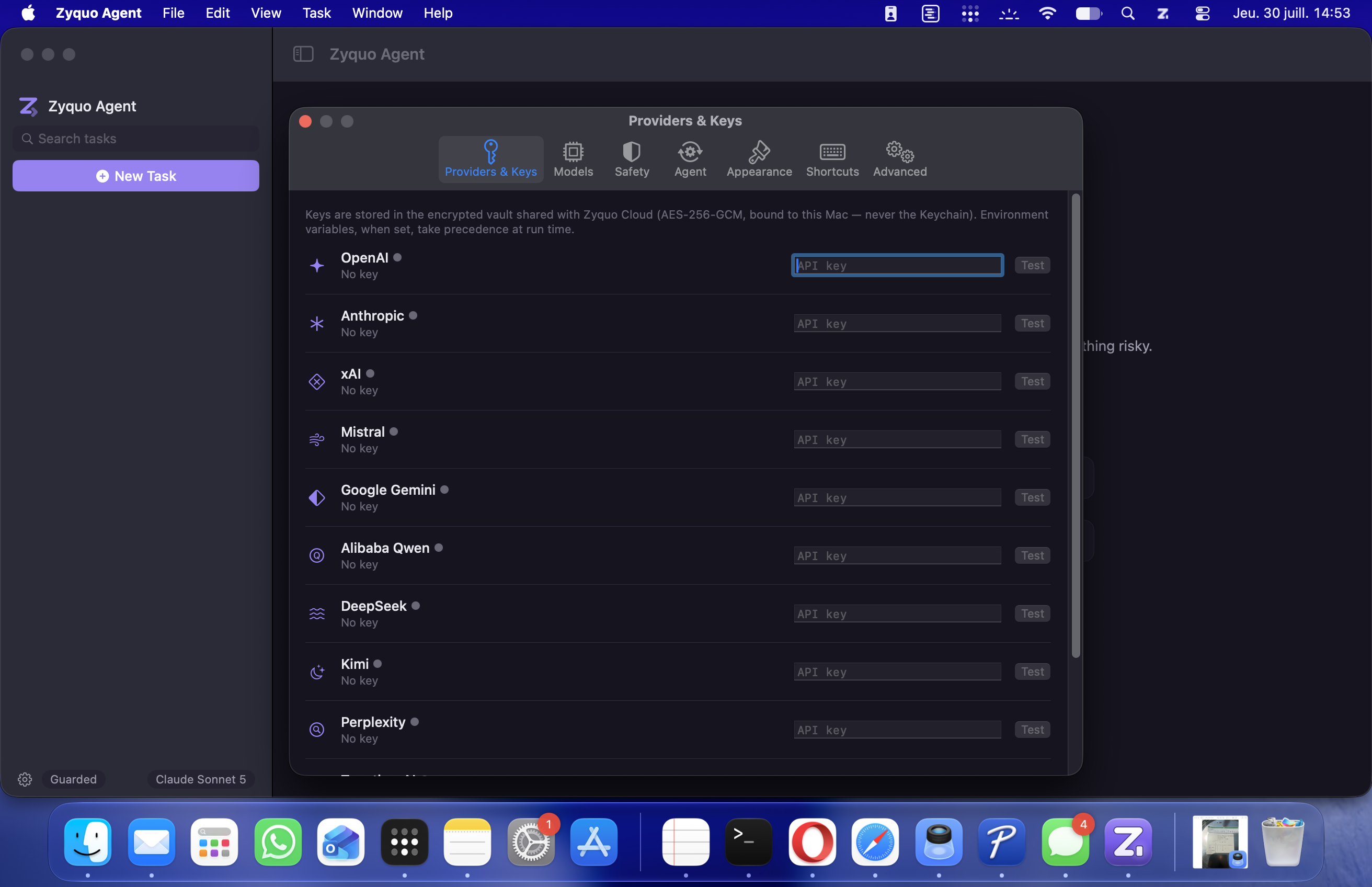
Chat — streaming, thinking disclosure, per-response stats (dark theme)
Discover — the curated catalog with RAM verdicts for your Mac
Library — installed models with architecture, quantization and context badges
🏁 Verified performance
Every release is validated by an end-to-end harness (ZyquoLocal --verify) that downloads real models through the app's own pipeline, then checks loading, deterministic generation, multi-turn recall, streaming cancellation, and memory release. Measured on an Apple M5 Max (48 GB):
| Model | Load | Generate | Multi-turn | Cancel | Unload | tok/s | TTFT |
|---|---|---|---|---|---|---|---|
| Qwen3-0.6B-4bit | ✅ | ✅ | ✅ | ✅ | ✅ | 109.4 | 0.08 s |
| Llama-3.2-1B-Instruct-4bit | ✅ | ✅ | ✅ | ✅ | ✅ | 222.8 | 0.74 s |
| SmolLM3-3B-4bit | ✅ | ✅ | ✅ | ✅ | ✅ | 97.4 | 0.11 s |
| gemma-3-4b-it-qat-4bit | ✅ | ✅ | ✅ | ✅ | ✅ | 58.3 | 1.08 s |
| Qwen2.5-Coder-7B-Instruct-4bit | ✅ | ✅ | ✅ | ✅ | ✅ | 112.5 | 0.42 s |
| DeepSeek-R1-0528-Qwen3-8B-4bit | ✅ | ✅ | ✅ | ✅ | ✅ | 61.3 | 0.08 s |
Full methodology and the 30/30 catalog verification: docs/VERIFICATION.md.
📦 Installation
- Download
ZyquoLocal.dmgfrom the latest release. - Open the DMG and drag Zyquo Local into Applications.
- Launch it. The app is Developer ID signed and notarized by Apple — no Gatekeeper hoops.
- Pick a starter model sized for your Mac and click Download. That's it — chat away, even offline.
💡 Models are stored in
~/Library/Application Support/ZyquoLocal/Models/and can be deleted from the in-app Library at any time (the app shows exactly how much space you'll reclaim).
🧰 Requirements
| Minimum | |
|---|---|
| Mac | Apple Silicon (M1 or later) — MLX requires it; Intel Macs are not supported |
| macOS | 14.0 (Sonoma) or later |
| Memory | 8 GB runs ≤4 B models comfortably · 16 GB → 7–14 B · 32 GB → 24–32 B · 64 GB → 70 B |
| Disk | 0.35 GB (smallest model) → 40 GB (Llama-3.3-70B); the app pre-checks free space |
| Network | Only for downloading models; inference is fully offline |
🚀 Usage
| I want to… | Do this |
|---|---|
| Get my first model | Launch → pick a starter card → Download → it auto-appears in the model chip |
| Chat | Type and hit ⌘↩; press the stop button to halt generation instantly |
| See how a model thinks | Reasoning models stream into the collapsible Thought process section |
| Switch models | Click the model chip in the header (or ⌘K) — verdicts tell you what fits |
| Tune generation | The sliders icon in the input bar (per-conversation) or Settings → Inference (defaults) |
| Ask from anywhere | ⌥Space — Quick Chat floats above whatever you're doing |
| Race two models | Menu Model → Compare Models…, pick two, broadcast one prompt |
| Reuse a great prompt | The templates icon in the input bar — 56 built-ins with fillable variables |
| Share a conversation | Header export menu → Markdown or PDF |
| Use gated models (Llama, Gemma) | Settings → Models & Storage → add your Hugging Face token |
🏗️ Building from source
Zyquo Local is plain Swift Package Manager — no .xcodeproj, and the Xcode IDE is never required. Two prerequisites beyond the Command Line Tools:
- Apple's Metal Toolchain on
PATH— MLX compiles its GPU kernels at build time. On a machine with Xcode 26+:xcodebuild -downloadComponent MetalToolchain; a standaloneMetal.xctoolchainonPATHalso works. - SDK pin on macOS 27 CLT setups:
SDKROOT=MacOSX26.5.sdk(SwiftUI macros are Xcode-only plugins in the 27.x CLT SDKs).
git clone https://github.com/spboucher-ai/zyquo-local.git
cd zyquo-local

make build       # debug build
make dev         # debug bundle (ad-hoc signed) + launch
make poc MODEL=<model-dir> PROMPT="Hello"   # CLI inference proof-of-concept
make icon        # regenerate AppIcon.icns from the SVG source
make release     # Developer ID signed + notarized + stapled app & DMG
The full recipe, the Metal-toolchain findings, and the research that pinned every dependency version live in docs/BUILD.md and docs/MLX-RESEARCH.md.
🏛️ Architecture
Sources/ZyquoLocal/
├── App/             @main entry, scenes, CLI modes (--poc, --hub-poc, --verify)
├── DesignSystem/    ZyquoTheme — every color, font, spacing and radius token
├── Models/          Conversation, Message, LocalModel, DownloadTask, Persona
├── Engine/          InferenceEngine (actor) · ChatSession · MemoryAdvisor · GenerationParams
├── Hub/             HubService · DownloadManager · FileTransfer · ModelStore
├── Services/        Persistence · ModelCatalog · PromptLibrary · Personas · Export · Settings
├── ViewModels/      AppModel · ChatController (streaming + <think> parser)
└── Views/ Chat · Library · Settings · QuickChat · Compare · ComponentsInferenceEngineis a Swift actor — all inference behavior lives behind it; states flowunloaded → loading → ready ⇄ generating, generation is anAsyncThrowingStreamof token/stats/finish events, and cancellation genuinely stops the loop.- Dependencies (pinned, researched, minimal):
mlx-swift-lm·swift-transformers(tokenization) ·swift-huggingface·swift-markdown. Downloads use a customURLSessiontransport — delegate-backed, chunked, Range-resumable. - 7 300+ lines of Swift 6, zero compiler warnings, every file headed and every screen built from design tokens.
🗺 Roadmap
- Multi-model residency (keep 2+ small models warm simultaneously)
- Prompt-cache persistence across launches (MLX
saveCache) for instant long-context reload - Vision-language models (MLXVLM) — image input for Gemma-3 / Qwen-VL class models
- Tool calling / MCP bridge for local agents
- Speculative decoding with paired draft models
- Sparkle-based in-app updates
- Localization (French first 🇫🇷)
🤝 Contributing
Issues and pull requests are welcome!
- Fork, then
git cloneyour fork. - Follow Building from source —
make buildmust pass with zero warnings. - Match the existing style: design tokens only in views, inference logic only in
Engine/, mandatory file headers. ZyquoLocal --verifyshould stay green if you touch the engine or Hub layers.- Open a PR with a clear description of what and why.
📄 License
Released under the MIT License — © 2026 Simon-Pierre Boucher.
👤 Author
Simon-Pierre Boucher
📫 Contact: contact@spboucher.ai
Zyquo Local is part of the Zyquo family of native macOS AI apps.
⭐ If Zyquo Local is useful to you, a star helps more people run their AI locally.